
Support Forum
How can my customers see a redemption report for their Flex Pass? - Tue - Feb 24, 2026 - 1:38pm
-
 Customers have a self‑service way to see how many vouchers they’ve used and how many remain. You can also send a clear “redemption usage” summary from within ThunderTix.
If your customers want to see a redemption report for their flex passes they can do so by scrolling to the bottom of your ThunderTix subdomain. There they should see a 'Check redemption balance' option as shown below:
They can enter in their email address or voucher code to search for their flex pass. When they click 'Check Redemptions', we will show all flex passes that have been redeemed, total redeemed and how many remain.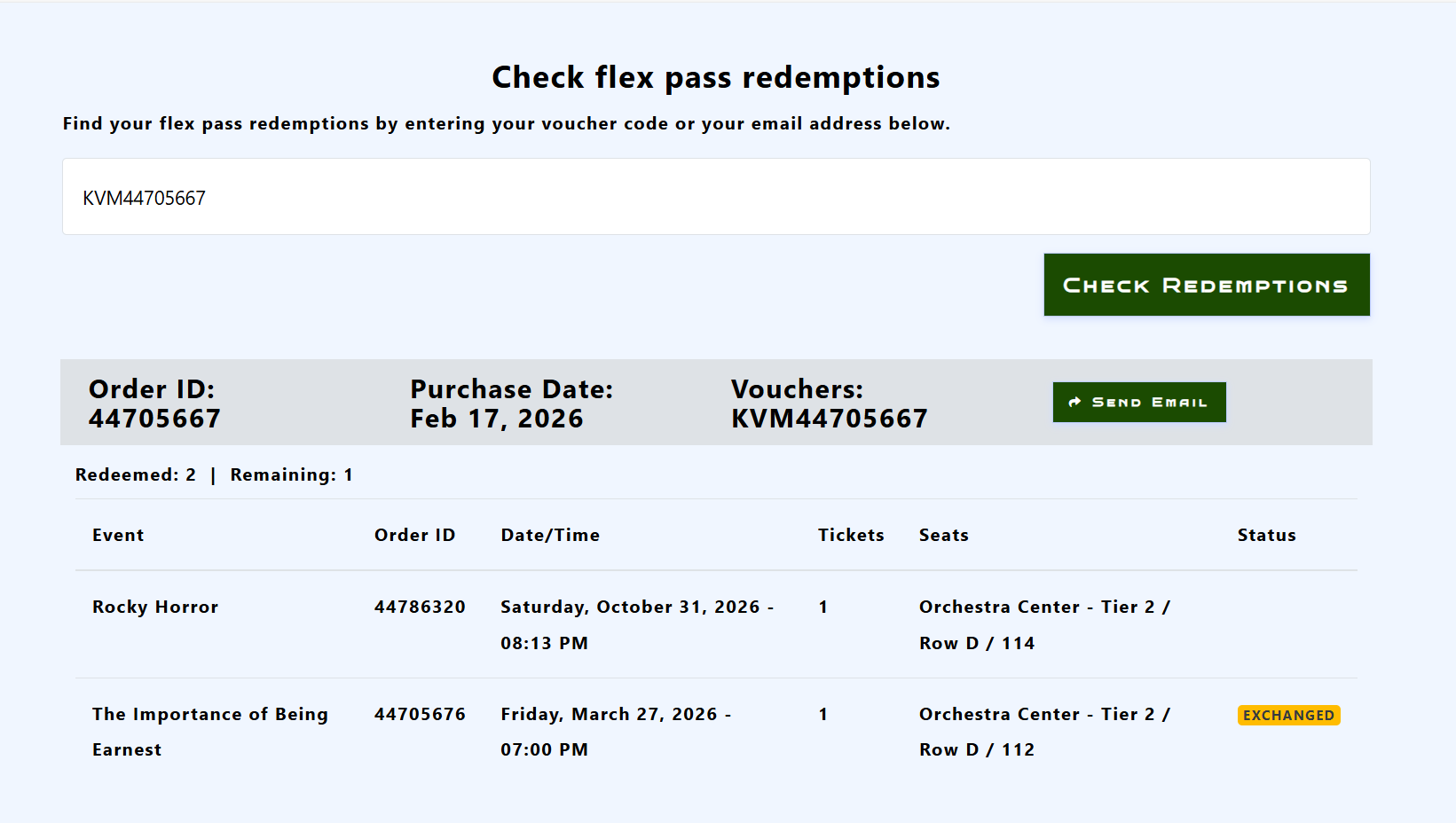
If any tickets have been refunded or exchanged, we will show it in the 'Status' column.
You also have the option to send the customer a copy of the redemption report by clicking 'Send email.' Below is an example of what will be sent to the customer: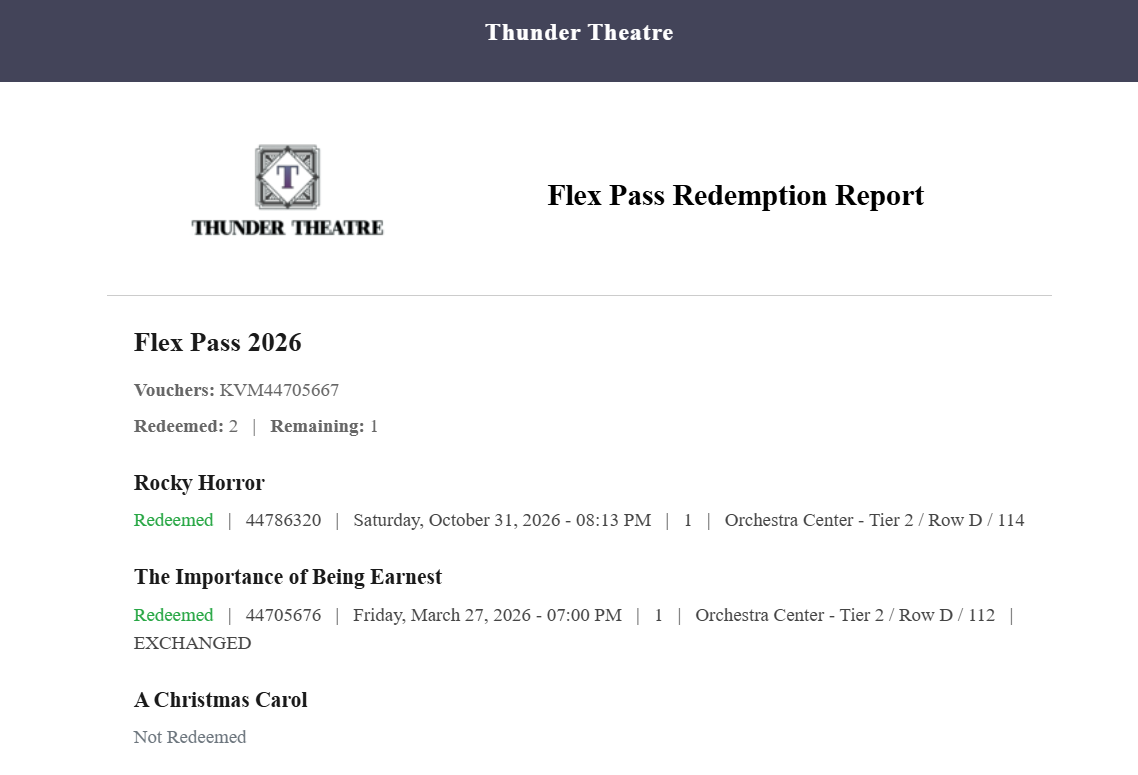
For information on how to send the redemption report in ThunderTix please see this discussion: Can I send my customers a redemption report for the Flex Pass?
View our video tutorials
What is the difference between Packages and Flex Passes?
Can I create a section in the seating chart that is available only to season ticket holders?
Does a subscriber get a ticket to each show?
Is it possible to do a report that shows the number of season ticket packages that were sold?
Can I create a Ticket package that includes both tickets and products?
Processing Subscription Renewals
How does a "Build Your Own" Package work?
