
Support Forum
How can I set up a password-protected event pre-sale? - Wed - Aug 6, 2025 - 5:03pm
-
 A presale to a targeted audience can be handled by selling tickets before the event officially "activates" for the general public. This option requires that a password be entered in order to access the event. A single password is used for the entire pre-sale. In order to do a presale, you'll need to:
- Set your event activation date set to some date/time in the future
- Set a pre-sale announcement date/time prior to the activation date/time
- Enter a pre-sale announcement. We recommend you copy/paste the event description into the announcement field with information about when tickets go on sale to the general public (your event activation date).
- Create a pre-sale code. This is the code ticket buyers will need to enter to get pre-sale access to buy tickets.
When you're creating your event, the option to enter a pre-sale date will not appear until you change the event activation date to some time in the future. Click the Advanced Date Display Options to set the activation date. Note in the screenshot below, the pre-sale date is set prior to the activation date.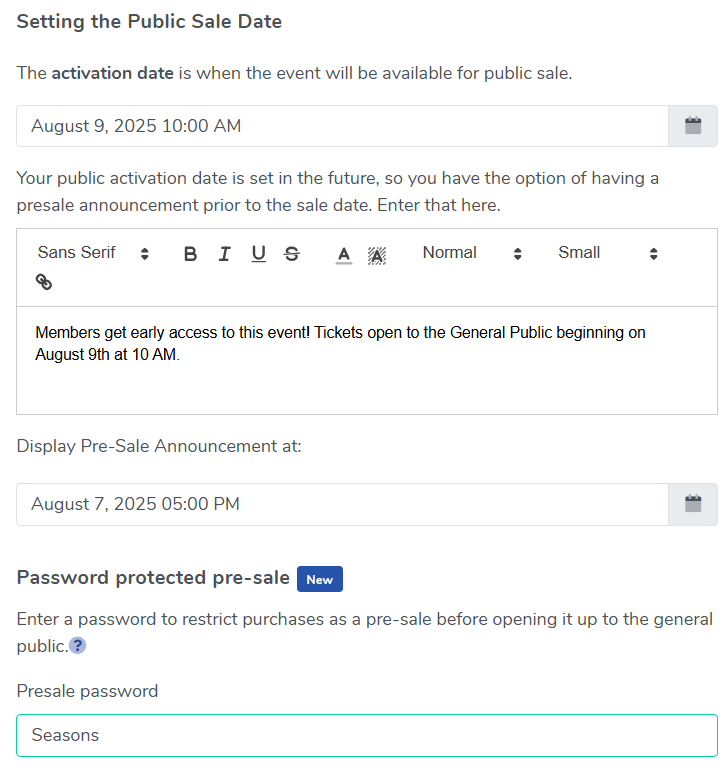
Enter a pre-sale password to restrict the purchase of this event as a pre-sale before opening it up to the general public. Customers will be required to enter the pre-sale password to access the event. The password will remain enabled allowing sales to those that know the password until the password is removed or until the event activates.
If you don't want the general public to see the event until the pre-sale is over, we recommend temporarily setting the event to semi-private since it can only be seen by those who have been given the link. Once the event is created, you can email the link only to those who are on your pre-sale list with early-bird privileges.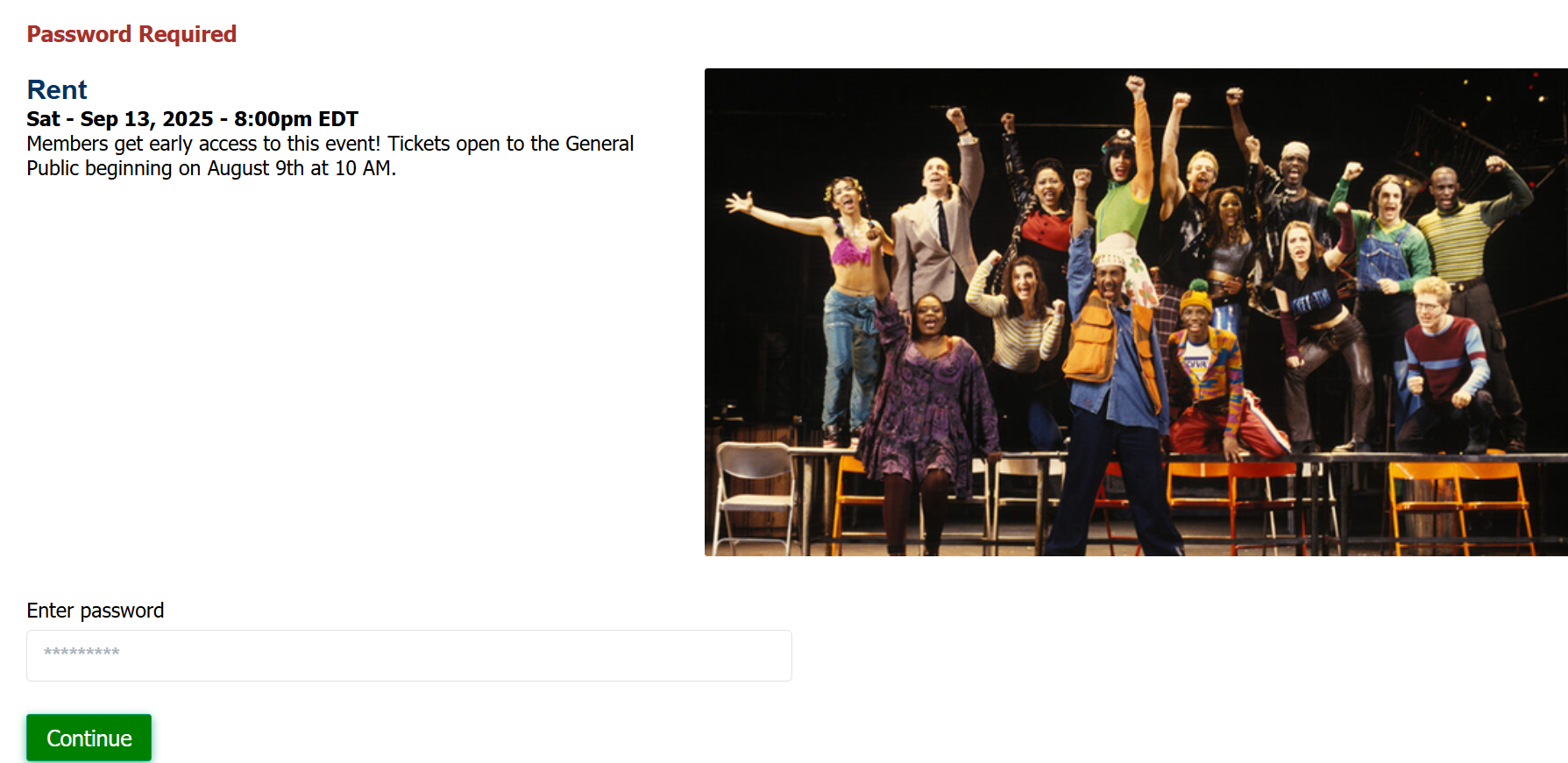
When the pre-sale is over, create a task to change it from Semi-Private to Public.
To set up a presale that requires a coupon code at checkout, please see this discussion:
How can I set up a presale that requires a coupon code at checkout?
View our video tutorials
Can we collect extra information on an order?
How can I customize a tour date message for the public without making tickets available?
Is it possible to set the maximum number of seats but not change the current defaults?
Can I still sell tickets at the door using ThunderTix after I take my event offline or after it has expired?
Why is one of my event's dates showing as 'Sold Out'?
Is there a way you could show the PDF image we have uploaded just like the Event Image?
How can I make tickets available at box office only 1 hour before show time?
